instrument panel TESLA MODEL X 2018 Owner's Guide
[x] Cancel search | Manufacturer: TESLA, Model Year: 2018, Model line: MODEL X, Model: TESLA MODEL X 2018Pages: 213, PDF Size: 5.37 MB
Page 200 of 213

Contacting TeslaFor detailed information about your Model X,
go to www.tesla.com , and log on to your Tesla
Account, or sign up to get an account.
If you have any questions or concerns aboutyour Model X, call Tesla. To
find the number
for your region, go to www.tesla.com, select
your region at the bottom of the page, then
view contact information.
Note: You can also use voice commands to
provide feedback to Tesla. Say "Note",
"Report", "Bug note", or "Bug report" followed
by your brief comments. Model X takes a
snapshot of its systems, including your current
location, vehicle diagnostic data, and screen
captures of the touchscreen and instrument
panel. Tesla periodically reviews these notes and uses them to continue improving Model X.
Reporting Safety Defects
Consumer Information199
Page 209 of 213
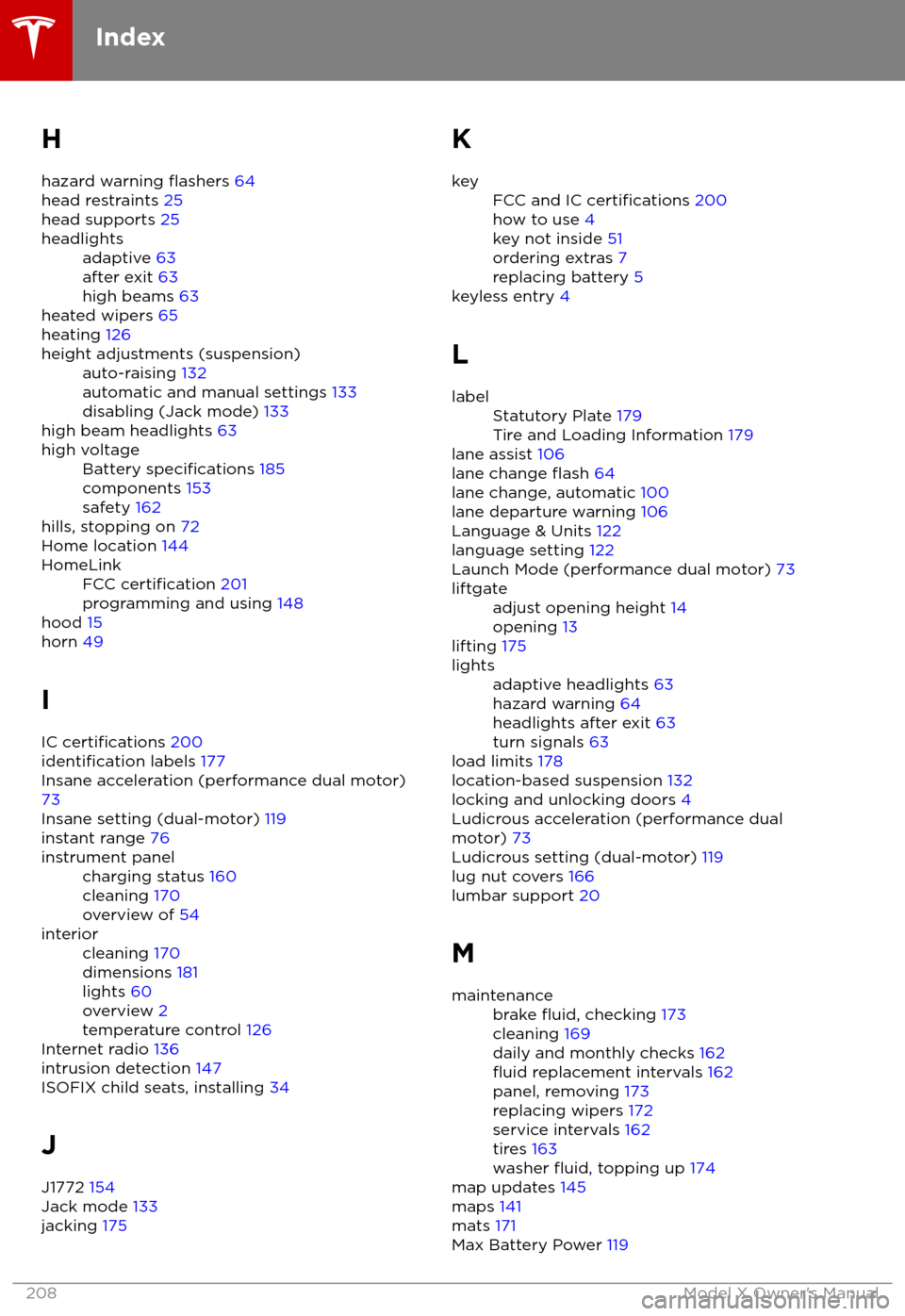
H
hazard warning
flashers 64
head restraints 25
head supports 25
headlightsadaptive 63
after exit 63
high beams 63
heated wipers 65
heating 126
height adjustments (suspension)auto-raising 132
automatic and manual settings 133
disabling (Jack mode) 133
high beam headlights 63
high voltageBattery specifications 185
components 153
safety 162
hills, stopping on 72
Home location 144
HomeLinkFCC certification 201
programming and using 148
hood 15
horn 49
I IC
certifications 200identification labels 177
Insane acceleration (performance dual motor) 73
Insane setting (dual-motor) 119
instant range 76
instrument panelcharging status 160
cleaning 170
overview of 54interiorcleaning 170
dimensions 181
lights 60
overview 2
temperature control 126
Internet radio 136
intrusion detection 147
ISOFIX child seats, installing 34
J
J1772 154
Jack mode 133
jacking 175
KkeyFCC and IC certifications 200
how to use 4
key not inside 51
ordering extras 7
replacing battery 5
keyless entry 4
L
labelStatutory Plate 179
Tire and Loading Information 179
lane assist 106
lane change flash 64
lane change, automatic 100
lane departure warning 106
Language & Units 122
language setting 122
Launch Mode (performance dual motor) 73
liftgateadjust opening height 14
opening 13
lifting 175
lightsadaptive headlights 63
hazard warning 64
headlights after exit 63
turn signals 63
load limits 178
location-based suspension 132
locking and unlocking doors 4
Ludicrous acceleration (performance dual
motor) 73
Ludicrous setting (dual-motor) 119
lug nut covers 166
lumbar support 20
M
maintenancebrake fluid, checking 173
cleaning 169
daily and monthly checks 162
fluid replacement intervals 162
panel, removing 173
replacing wipers 172
service intervals 162
tires 163
washer
fluid, topping up 174
map updates 145
maps 141
mats 171
Max Battery Power 119
Index
208Model X Owner
Page 210 of 213

Max Battery Power (performance dual motor)73
media 134
mileage upon delivery 198
mirrors 50
mobile app 152Mobile Connectordescription 154
using 157
modifications 176
motor torque, reduced 110
my car does what? 196
N naming 125
navigation 141
NCC
certifications 200
Neutral gear 53
night mode 122
O odometer 75
offset from speed limit 112
overhang dimensions 181
overtake acceleration 91
Owner Information, about 197
P Park Assist 70
Park gear 53
parking brake 67
parking, automatic 102
parts replacement 176
Passive Entry 122
Pedal Misapplication Mitigation 108
personal data, erasing 125
phonesteering wheel buttons 48
using 139
PIN 46
power management 76
power socket 137
power windows 12
powering on and
off 51
Preconditioning 122
preferences, setting 122
public charging stations 154
R radar 88
radio 134
Radio Frequency information
200rangedisplayed on instrument panel 54
driving tips to maximize 76
regenerative braking 66
range assurance 76
Range mode 76
Range Mode 119
Rated range 122
re-routing 143
rear seats, accessing 23
rear view camera 78
rear window switches, disabling 12
Recent (Media Player) 136
Recents 141
regenerative braking 66
region format 122
relative speed limit 112
release notes 151
restarting the touchscreen 51
Reverse gear 53
RFID transponders 176
roadside assistance 192
rotating tires 164
route overview 143
S
safety informationairbags 43
child seats 39
seat belts 29seat beltscleaning 170
in a collision 28
overview of 27
pre-tensioners 28
wearing when pregnant 28
seat covers 26
seat heaters 126
seating capacity 179
seatsadjusting 20
heaters 126
seats, second row 21
security settings 147
sensors 88
service data recording 198
service intervals 162
Settings 122
Settings, erasing 125
shifting gears 53
Show Commute Advice 143
side collision warning 106
slip start 69
Smart Preconditioning 122
software reset 125
software updates 151
Index
Index209